If you have recently moved to Japan or are starting a business here on a long-term visa, your first major hurdle is likely opening a bank account.
Most “mega-banks” like MUFG or SMBC typically reject applications from foreigners who have been in Japan for less than six months. However, you need a local account immediately to pay for rent, utilities (water, electricity, gas), and mobile phone plans via automatic withdrawal.
The most foreigner-friendly solution is Japan Post Bank (JP Bank/Yucho). Here is the definitive guide to getting your first card without visiting a branch.
💡 Why Choose JP Post Bank?
- No “6-Month Rule”: Open to newcomers immediately upon arrival.
- No Japanese Required: The official app supports English, Chinese, and Thai etc.
- 100% Digital: No need to struggle with face-to-face communication at a counter.

🛠️ Preparation
- Your Zairyu Card: Must be valid and have your current address registered at the ward office.
- The App: Search for “ゆうちょ手続きアプリ” (Yucho Tetuzuki App) in the App Store or Google Play.
📝 Step-by-Step Application Process
1. The Terms & Conditions Ritual Open the app and the User Agreement will pop up. You must scroll to the very bottom of the document,Click and read; otherwise, the “Agree” button will remain greyed out and unclickable.

2. Language Selection The app supports multiple languages. Select English (or your preferred language) to ensure you understand the financial terms clearly.
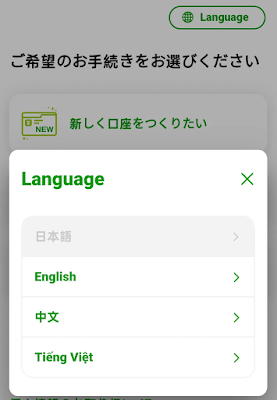
3. Choose “Open a New Account” Select “Apply for a new account.” (Note: This app can also be used later to reset your PIN or replace a lost card).


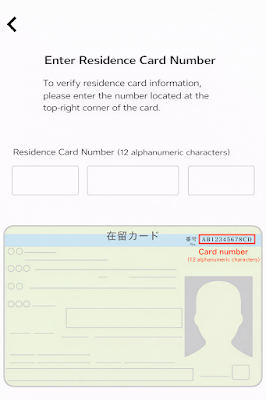
4. Identity Verification (The Zairyu Card The validity period must be at least three months.) You will be asked to scan your Zairyu Card(Residence Card). You need to take clear photos of both the front and back. The app will also use NFC to read the chip in your card if your phone supports it.

5. Personal Information (The “Full-width” Trap) This is where the most commonly confused point.
- Exact Match: Your name and details must match your Zairyu card exactly.
- The Alphanumeric Rule: You MUST use “Full-width” (Zenkaku/全角) characters for numbers and letters(Japanese keyboard). If you use standard “Half-width” (English keyboard) characters, your application will be rejected.
6. Set Your 4-Digit PIN In Japan, ATM/Cash card PINs are strictly 4 digits. Do not confuse this with a 6-digit international PIN or your 8+ character app password.

7. Receive Your Card After submission, it takes about 2 weeks for processing. Your cash card will be sent to your registered home address via secure mail.
⚠️ Pro-Tips & Warnings (From Personal Experience)
- PIN Error: If you enter the wrong PIN too many times at an ATM, the machine will “swallow” your card.
- Remittance Limits: Note that accounts held by residents of less than 6 months are often restricted from making international transfers (remittances), but they work perfectly for domestic rent and utility payments.
Follow me for more practical insights on relocating to and start-up or doing business in Japan.
FAQ: Frequently Asked Questions
Q: Can I open an account if my Japanese is zero?
A: Yes. The “Yucho Tetuzuki App” supports full English and Chinese interfaces. As long as you follow the steps, no Japanese speaking skills are required.
Q: Why was my application rejected due to “Full-width characters”?
A: This is the most common error. Japanese systems require alphanumeric characters to be in “Zenkaku” (全角). On most smartphone keyboards, you can find this under “Full-width” settings, or by using a Japanese romaji keyboard and selecting the wider-spaced character options.
Q: Can I use my JP Post card for Apple Pay or Google Pay?
A: Not directly with the standard Cash Card.
- Cash Card: It is only for ATM withdrawals and bank transfers (Furikomi).
- Solution: Most expats link their JP Post account to PayPay or Line Pay for mobile payments. Alternatively, you can use your JP Post card to top up a Suica or Pasmo card in your Apple/Google Wallet via a convenience store ATM.
Q: How long does the card take to arrive?
A: Typically 2 to 3 weeks. It will be sent via “Registered Mail” (Kakitome), meaning someone must be home to sign for it, or you will need to reschedule delivery using the slip left in your mailbox.










1 Response
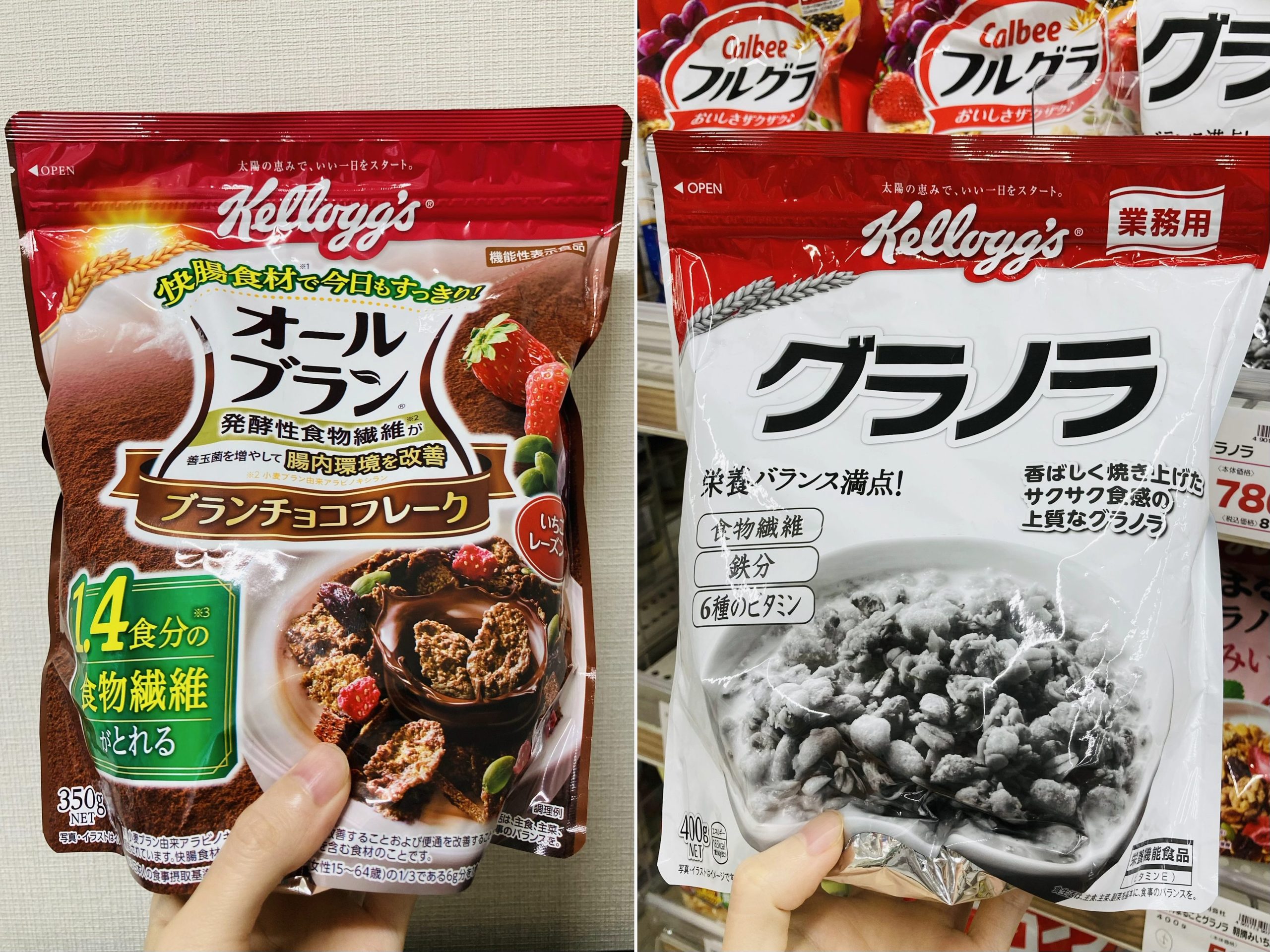
[…] Food giant Calbee announced that because of supply shortages linked to tensions in the Middle East — especially shortages of packaging materials and printing ink — some of its products would gradually switch from colorful packaging to black-and-white designs starting May 25.2026. […]